How to Use the Orders Screen?
Updated:
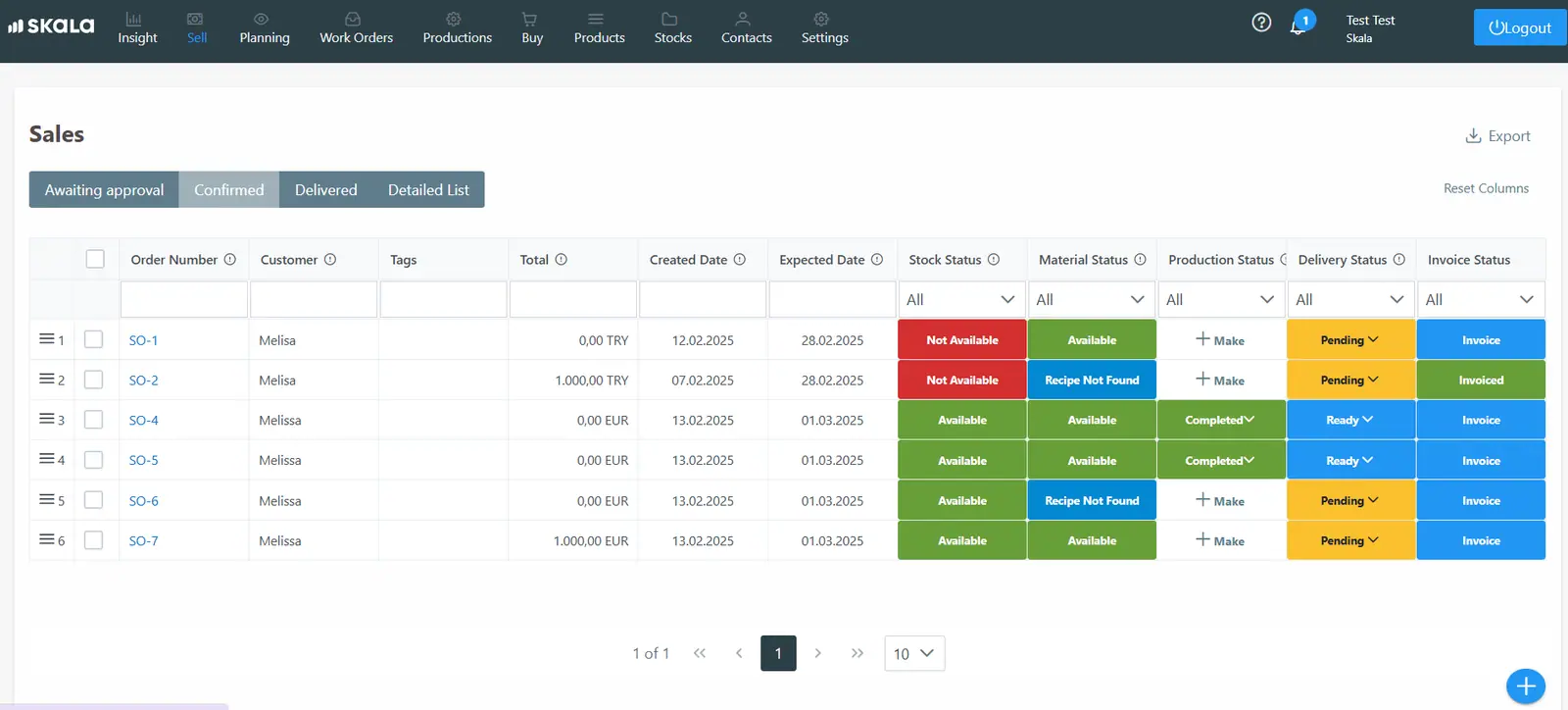
From the sales screen in the horizontal menu, we can view open orders, delivered orders, and quotations awaiting approval.
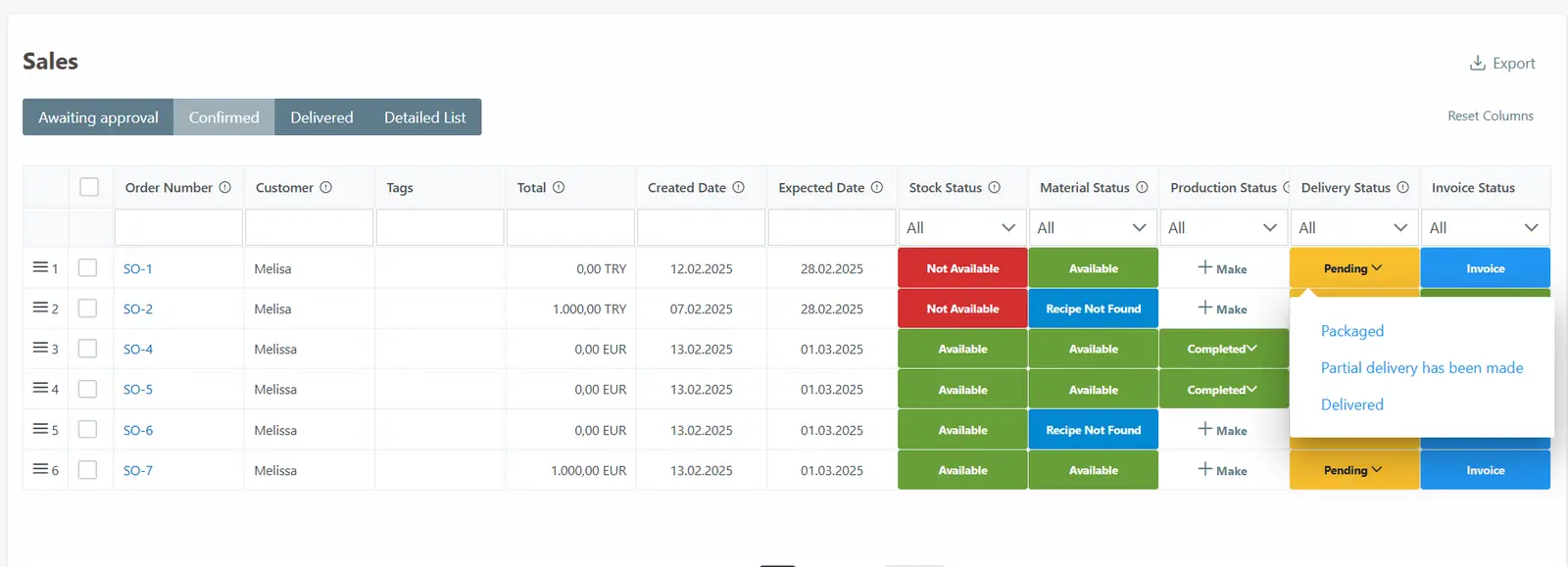
When delivering an order, we can change the delivery status of the relevant order on this screen to “Packed,” “Partially Delivered,” or “Delivered.” If we select the “Partially Delivered” option, the quantity we delivered will be deducted from the stock, and the order will remain open.
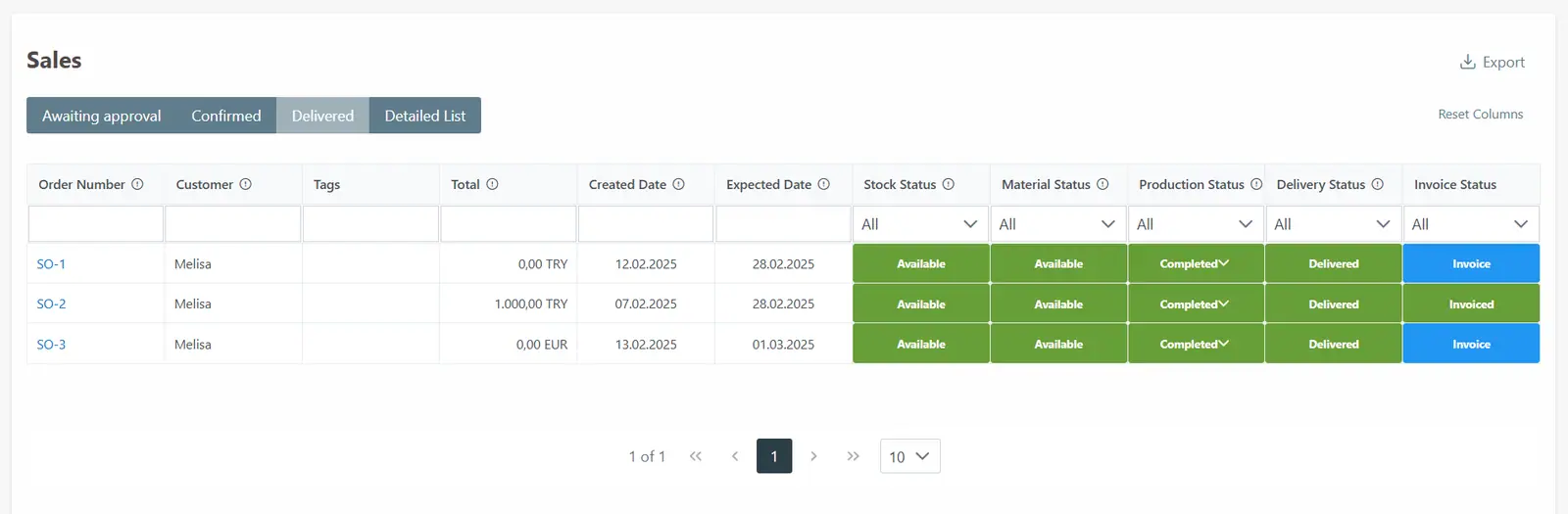
In the “Delivered” section, our delivered orders are listed.
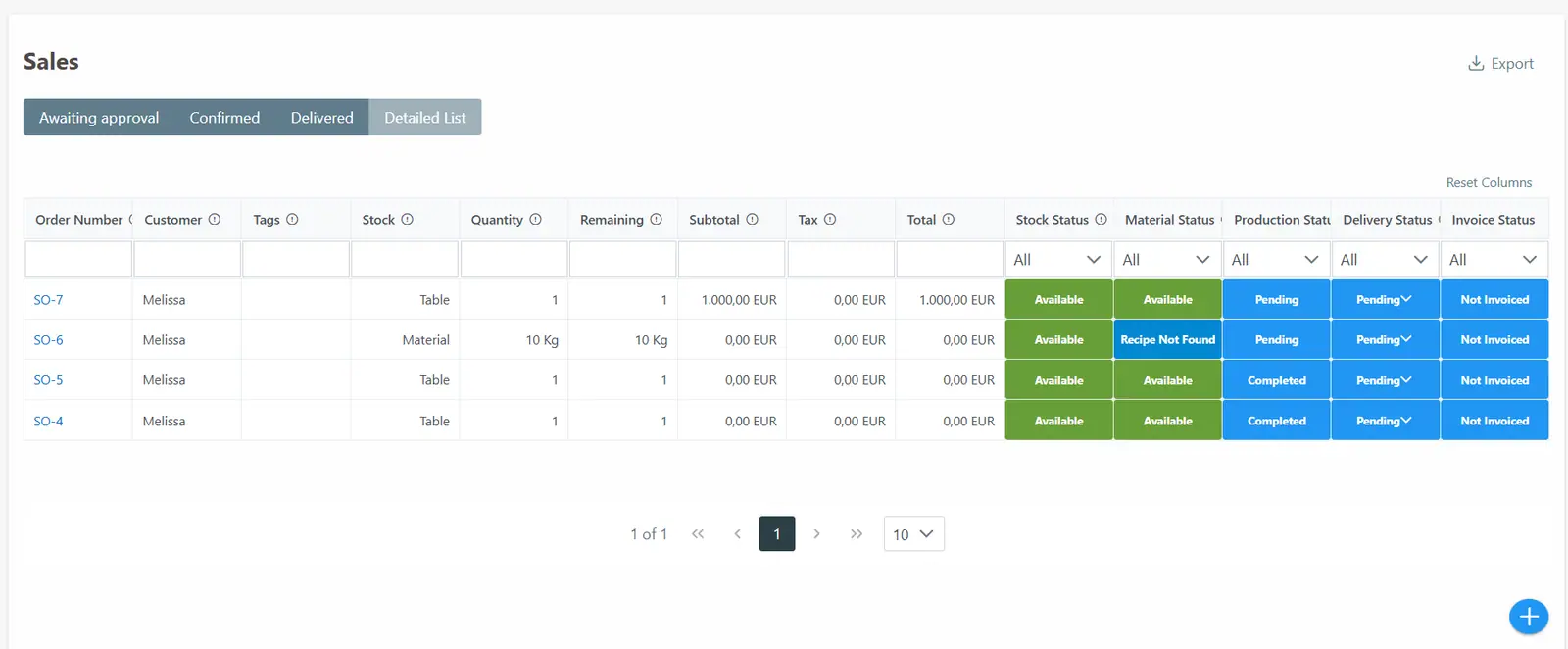
In the detailed list, we can also see the stock name and quantity within our orders.