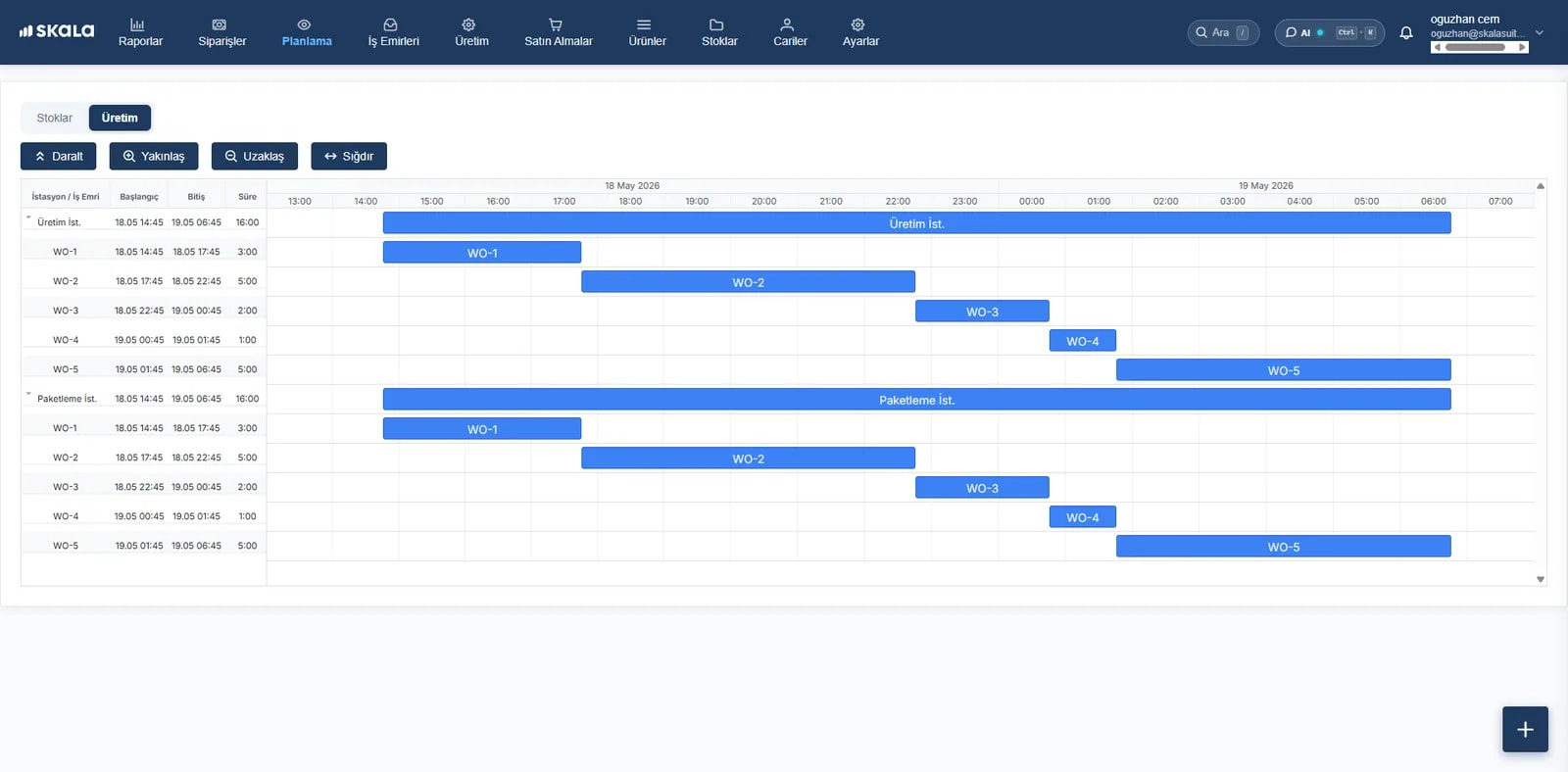
A simple, fast, mobile shop floor interface
No More Paper Forms: Production Recorded on the Floor, Instantly.
Your operators see the work orders assigned to them on a phone or tablet and record them in seconds with Start, Pause and Finish buttons. From your office, you follow every machine's time, quantity and scrap live.
- No training required
- Zero complexity
- Factory with zero data loss
- 100% paperless
- Downtime and scrap reasons
- Instant notifications
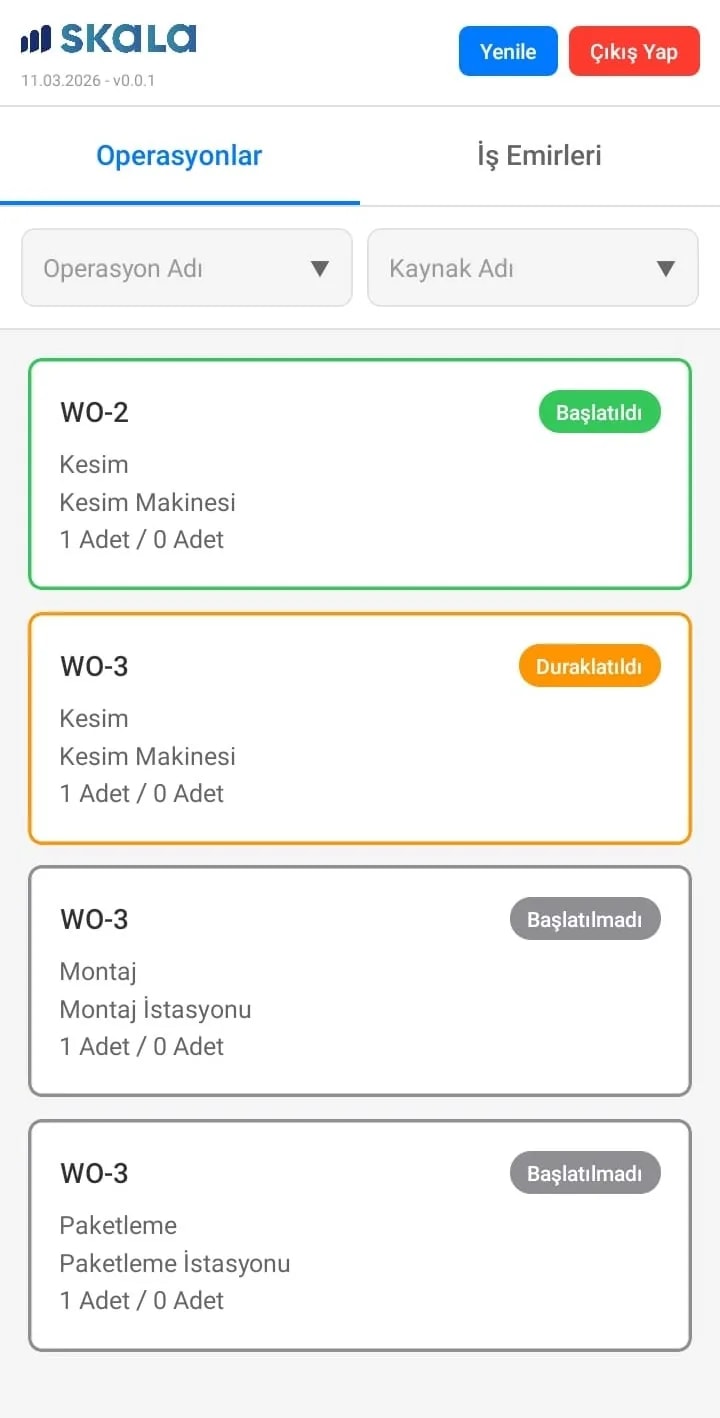
What changes with the operator app?
Paperless Work Orders and a Digital Job List
Put an end to printed forms, lost BOMs and handwritten tracking. Operators only see the current jobs assigned to them or their work station.
Digital Work Order TrackingMeasuring Real Operation and Set-Up Time
The real start and finish time of every operation is recorded precisely; set-up, labour and break times are clearly separated.
Time and Performance AnalysisInstant Recording of Scrap, Waste and Defect Reasons
Broken, defective or scrapped parts are recorded instantly from the floor with a selected reason. Quality control is alerted automatically when scrap counts rise.
Scrap and Quality TrackingMachine Downtime Reasons and Breakdown Reports
Downtime reasons such as “Waiting for material”, “Breakdown” or “Setting up” are entered in one tap, so the root causes of unplanned downtime surface instantly.
Downtime and Breakdown AnalysisJob Assignment by Work Station and Operator
Work orders appear on screens by machine, equipment or directly by operator. Who produced how much, and their efficiency, is reported in real time.
Work Station ManagementOne-Tap Job Start with Barcode / QR Code
Operators scan the QR code on the work order or stock carton with the tablet camera, eliminating the risk of starting the wrong job or using the wrong material.
Barcode Shop Floor Tracking
Data-driven actual cost calculation
Optimise Cost with Real Data from the Floor, Not Estimates
Live time, downtime and scrap data that operators enter on a phone or tablet is compared instantly with the standard values in the BOM. You immediately see which job cost more than planned and the hidden leaks eating into your margin.
- Planned vs. Actual Time and Labour Comparison
- Real-Time Actual Cost by Operation and Machine
- Lost Time Reports by Downtime and Breakdown Reason
- Scrap and Waste Costs Posted Directly to the Work Order
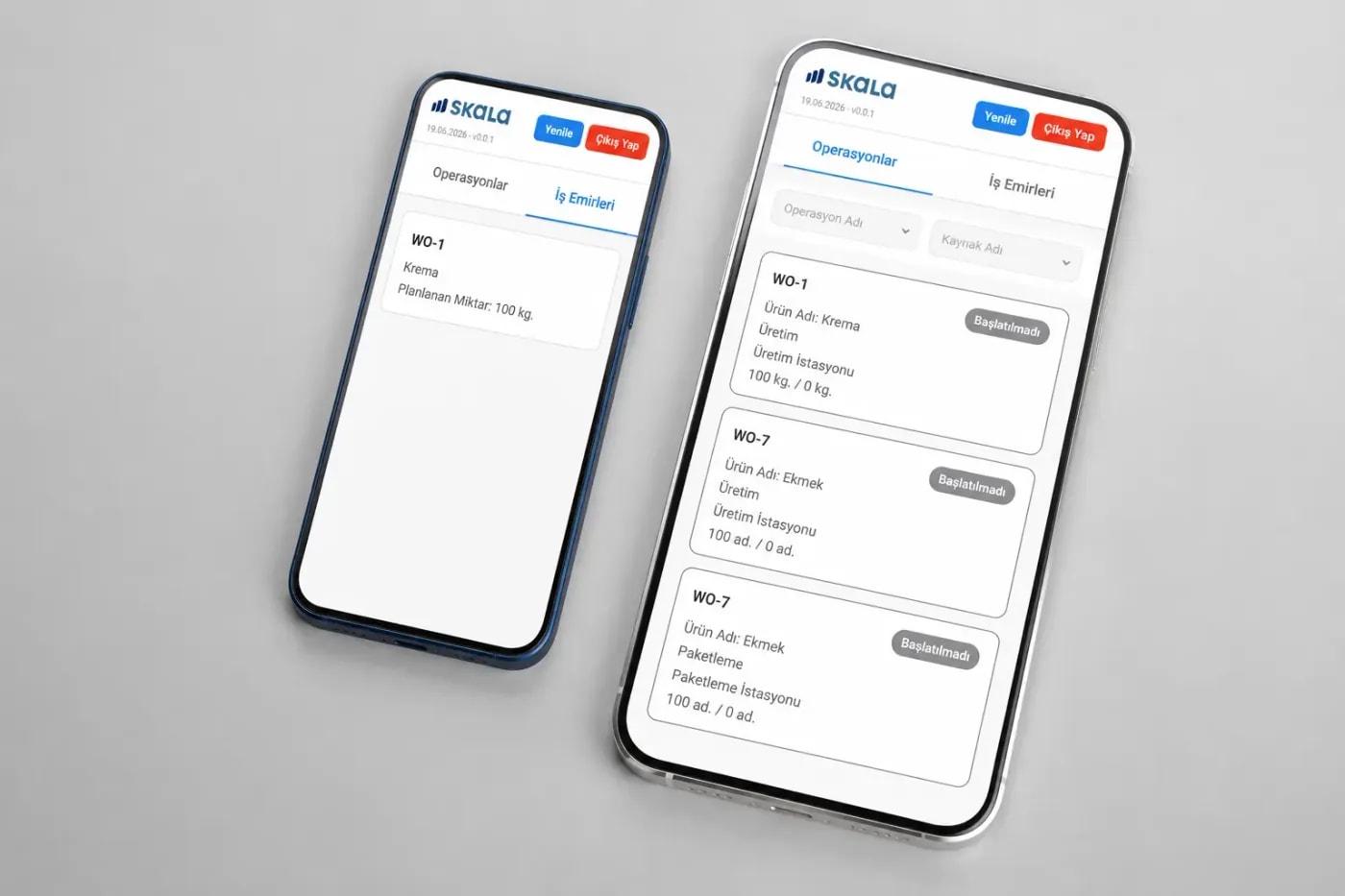
No Complex Screens: Full Shop Floor Control with Just 3 Buttons
An ultra-simple interface that any operator with a smartphone can learn in 10 seconds, with no technical training.
- Step 1
Start
The operator picks the assigned work order from the list or scans its barcode to start the job; precise time measurement begins automatically.
- Step 2
Pause
On a breakdown, break or while waiting for material, the job is paused with a selected reason; unplanned downtime is recorded.
- Step 3
Finish
The operator completes the job by entering good and scrap quantities; the data flows instantly to the office and into stock movements.
Questions about Skala Operator
Which devices and operating systems does Skala Operator run on?
Skala Operator runs smoothly on all Android and iOS (iPad/iPhone) phones, tablets and industrial touch panels (kiosks). You can give each operator access from their own phone, or place an inexpensive tablet at each machine or work station so the whole shift logs in from one device.
Do we need to buy expensive industrial terminals, handhelds or extra hardware?
No, not at all. Skala Operator is fully cloud-based and mobile-friendly. Instead of spending thousands on special, expensive MES hardware, you can start using the most affordable standard tablets and phones on the market right on your floor.
How long does it take to learn the app? Will our operators struggle?
The app is built on an ultra-simple design that any operator with a smartphone can learn in 10 seconds. There are no complex menus or confusing forms; only “Start”, “Pause” and “Finish”. A 15-minute orientation is enough to digitise the whole floor.
Is data lost during internet outages or in blind spots on the floor?
No. Skala Operator supports offline work. Even if the connection drops on the floor, the time and quantity data the operator enters is stored safely on the device and synced to the office automatically when the connection is back.
How is the operator app licensed? Does it cost extra?
User licensing in Skala plans is flexible. Office manager licences and shop floor operator licences scale with your needs. For the pricing model that best fits the number of operators on your floor, our team will make you a tailored offer during the demo.
Skala's other modules
- Production managementWork order, BOM and cost tracking
- Inventory managementReal-time, multi-location stock
- Order managementOne flow from order to shipment
- Production planningCapacity planning on a Gantt chart
- Warehouse managementBarcode receiving and shipping
- AI-powered forecastingPurchasing and stock suggestions
Free your production floorfrom paper.
Orders, production, inventory and warehouse in one place. Your onboarding specialist is with you from day one.
- Live in under a week
- We import your Excel data
- Real humans on support